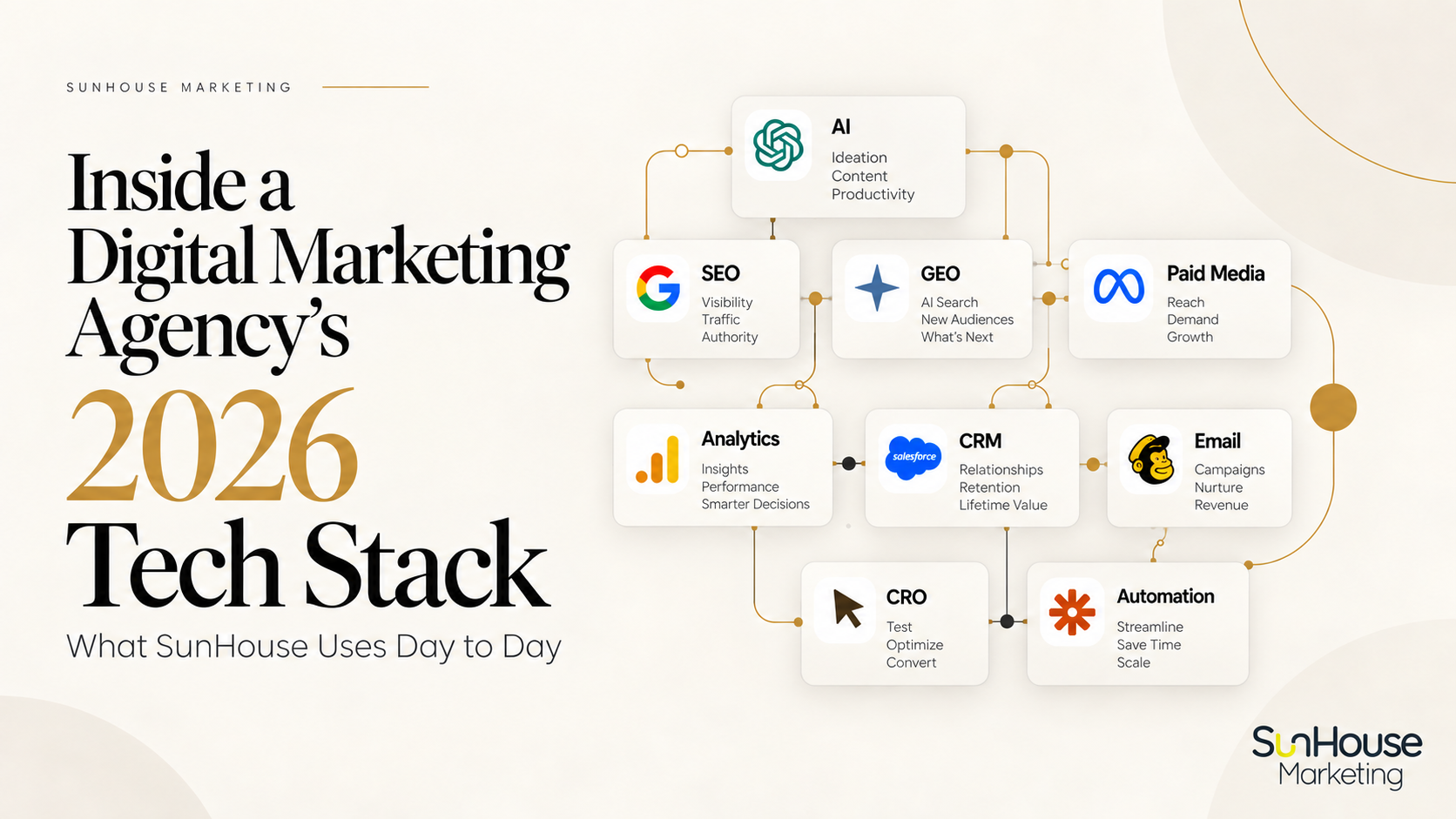
SunHouse’s 2026 marketing tech stack supports the work behind our digital marketing and lead generation services: researching opportunities, deciding where to invest and carrying out the work. Claude is my broader environment for analysis and developing workflows, ChatGPT supports much of my writing, and Perplexity is often where I begin source discovery. Advertising, search, reporting and customer-management tools help us connect those decisions to what happens in a client’s business.
This is an agency’s working stack, not a shopping list for every company. It includes my personal subscriptions and tools our team uses across different client accounts. An individual company usually needs a smaller setup, with a clear purpose and an owner for each tool.
I have shared versions of our stack since 2021, with updates in 2023 and 2024. The biggest change in 2026 is how closely AI now sits alongside research, writing, analysis and implementation. But the standard for keeping a tool has not changed: it needs to improve a decision or the quality of the work.
Search is changing too. A June 2026 SparkToro analysis of Similarweb data found that 68.01% of U.S. Google searches ended without a click in the first four months of 2026, compared with 60.45% in 2024. That gives us another reason to examine visibility beyond website visits, not a reason to abandon useful content or sound SEO.
The table below shows what we use and how often. The sections that follow explain the judgment behind the selection, including where a tool helps and where its output needs to be challenged. Features and limits vary by subscription and rollout; frequency reflects usage, not importance.
I am a Semrush Ambassador. Some links in this article are affiliate or referral links.
The tools are grouped by function, in the same order as the sections below. Frequency reflects our current usage.
| Tool | Primary Use | Frequency |
|---|---|---|
| AI, Research and Automation | ||
| Claude Max | Strategy, research, agentic workflows and design | Daily |
| ChatGPT Plus | Writing, analysis and critical review | Daily |
| Perplexity | Sourced research and verification | Regular Rotation |
| Composio | Connections between AI and business systems | Regular Rotation |
| GitHub | Technical investigation | Specialist |
| Fyxer | Email triage and inbox management | Daily |
| Zapier | Workflow automation and lead routing | Daily |
| Claude Code | Desktop implementation, websites, tracking and automation | New / Early Rollout |
| SEO, GEO and Local Search | ||
| Semrush | SEO, GEO, local SEO and competitive intelligence | Daily |
| Google Business Profile | Local SEO and profile management | Regular Rotation |
| Paid Media and Creative Testing | ||
| Google Ads | Paid search and performance marketing | Daily |
| Meta Ads Manager | Paid social advertising | Daily |
| LinkedIn Ads | B2B advertising and lead generation | Weekly |
| Microsoft Advertising | Paid search | Weekly |
| Ryze AI | Paid media optimization | Daily |
| AdCreative.ai | Creative testing and ad production | Daily |
| Analytics, Attribution and Reporting | ||
| Google Analytics 4 | Analytics and conversion behavior | Weekly |
| Google Search Console | Search performance and indexing diagnostics | Weekly |
| Google Tag Manager | Tracking and event implementation | Regular Rotation |
| CallRail | Call attribution and lead tracking | Daily |
| Landing Pages and Conversion Optimization | ||
| Unbounce | Landing pages and CRO | Daily |
| Contentsquare (formerly Hotjar) | Heatmaps and session recordings | Specialist |
| VWO / Wingify | A/B testing and experimentation | Specialist |
| CRM, Email and Lifecycle Marketing | ||
| Salesforce | CRM and attribution | Regular Rotation |
| Zoho CRM | CRM and lead management | Regular Rotation |
| Zoho Campaigns | Email campaigns and follow-up | Regular Rotation |
| Zoho Marketing Automation | Lifecycle marketing and automation | Regular Rotation |
| ActiveCampaign | Lifecycle marketing and automation | Regular Rotation |
| Klaviyo | Shopify lifecycle and retention marketing | Platform-Specific |
| NeverBounce | Email verification and list hygiene | Specialist |
| Creative Production and Collaboration | ||
| Canva | Creative production | Daily |
| Midjourney | High-end image generation | Specialist |
| Metricool | Social scheduling and management | Regular Rotation |
| Google Workspace | Agency collaboration and documentation | Daily |
AI, Research and Automation
Claude
Daily: Strategy, research, analysis, delegated workflows and design.
I use a Claude Max subscription for strategy, research and work that spans several documents or systems. Each ongoing client or initiative gets its own Project, with the business context, source material and rules needed for the assignment. I define the question, the evidence to use and the deliverable before asking for an analysis. Otherwise, a polished answer can still be an answer to the wrong problem.
Collaboration, Delegated Work, Design and Code
I use Claude both for active collaboration, such as working through strategy or refining writing, and for delegated tasks involving files, multiple documents, administrative work or longer research. Anthropic has merged chat and the capabilities previously called Cowork into one Claude experience, with a phased rollout. I still choose how closely to work through a task, define the objective and review the result.
Claude Design has been particularly useful for presentation concepts, one-pagers, layouts and prototypes. I can work from a reference design, make broad changes through chat and give targeted feedback on individual elements. The value is being able to keep refining both the content and the visual hierarchy.
I have just started using Claude Code on desktop, where marketing overlaps with websites, tracking and automation. I have an Elementor MCP account and a daily dashboard, and I am planning further workflows for SunHouse. My focus includes technical investigation, prototyping and translating marketing requirements into implementation. This is an early rollout, and I distinguish what is already in use from what I am still planning.
My developing Claude Code setup also includes Everything Claude Code (ECC), an open-source collection of agents, skills, hooks and commands. I am exploring how to apply selected components to SunHouse’s workflows as I expand the rollout.
Connectors, Skills and Repeatable Workflows
Connectors bring selected current data into the analysis without repeated exports. Skills help formalize recurring methodologies for audits, research and deliverables. A Project supplies business context; a Skill defines the process for a recurring task.
Composio extends the connections available to Claude. Depending on the project and permissions, that can include GA4, Search Console, advertising data and CRM records. I also use GitHub for repository and development context.
The useful connection is the one that improves a decision or removes unnecessary manual work. Access to a system does not, by itself, make the analysis reliable. I still check the account, date range, source and interpretation.
Building an Operating Workflow
I have also been developing a Claude-supported operating workflow for SunHouse: a shared task tracker, a priorities dashboard and scheduled briefing work. The structure includes a Chief of Staff role and specialist roles for business development, search visibility, content, paid media and client operations.
This remains a developing system. Some workflows have been tested; other roles are still being defined and connected. I distinguish a role with written instructions from a process that has actually run and produced a reviewed result. The objective is to make priorities, ownership and follow-through easier to manage.
Turning Analysis Into an Implementation Brief
A recent website conversion review is a good example of how I use Claude beyond the analysis itself. I developed recommendations on the consultation offer, copy and form placement, then organized the findings into a brief for the designer responsible for the pages. The useful endpoint was something the designer could act on, not a long chat explaining my thinking.
That is the test I apply to the final output: does it give the person doing the work enough direction to proceed? A report, presentation or brief should be shaped around that person and the decision they need to make.
ChatGPT
Daily: Writing, analysis, research, critical review and problem-solving.
My ChatGPT Plus subscription supports most of my writing projects. I have spent considerable time refining the voice: natural, specific and authoritative without becoming stiff. That gives me a better starting point, with less generic language to remove before I can get to the argument.
Writing With Context, Then Editing the Argument
I keep ongoing client work in separate Projects, just as I do in Claude. The writing standards provide consistency; each client’s audience, positioning and source material give the piece its own perspective. A healthcare organization should not sound interchangeable with a B2B technology company or SunHouse.
The work is a conversation, not a single request for a draft. I might start with dictated thoughts, research or a rough outline, then challenge the argument and refine the language. Explaining why a sentence is wrong is more useful than asking for it to sound better. I still make the editorial decisions.
Critical Review and Second Opinions
I also bring ChatGPT work developed elsewhere and ask it to challenge the assumptions, consider counterarguments and identify claims the evidence does not support. I use Claude in the same way, taking work between the two environments when another perspective helps.
Agreement between two models is not independent verification. Both can accept the same weak premise. I return to the sources before relying on a claim, and check whether the final piece answers the audience’s question rather than merely sounding convincing.
Perplexity
Regular rotation: Sourced research, source discovery and verification.
Perplexity is my first choice when the quality of the research and the sources behind it matter.
In my own workflow, it consistently does a better job of finding strong, relevant source material and giving me a clear trail of citations to work from. That makes it particularly useful when I am researching a market, validating a claim, looking for original studies or data, investigating competitors, or building the research foundation for a strategy or article.
I tend to use ChatGPT and Claude differently. They are often stronger environments for thinking through the research, challenging it, synthesizing multiple sources, and ultimately turning it into strategy or writing. But when my immediate question is “Where is the strongest evidence for this?”, I usually start with Perplexity.
That does not mean I accept its citations at face value. An AI-generated answer is not the source, and the presence of a citation does not guarantee that the source actually supports the claim being made. I still open the underlying material, check how current and authoritative it is, look for the original source where possible, and distinguish primary research from secondary articles repeating someone else’s findings.
For research-heavy work, that source trail is one of the main reasons Perplexity continues to earn a place in my stack.
Fyxer
Daily: Email triage and inbox management.
Fyxer helps manage part of the administrative layer around email.
The value is less about email itself and more about protecting senior time from routine inbox management so more attention can go toward strategy, clients, and decision-making.
Zapier
Daily: Workflow automation, lead routing and data movement.
We use Zapier for lead capture and funnel routing, CRM updates, form follow-up and automated performance reports. It connects steps when the systems involved do not already offer the workflow we need. The point is to reduce manual handoffs, not to automate every task that can be automated.
Lead management is where the process matters most. Capturing an inquiry is only useful if it reaches the right place and the follow-up is handled. Before adding automation, I want to understand how the team manages inquiries and records what happens next.
We check for duplicate records, incomplete information and failed steps, as well as whether source information survives the handoff. A workflow that runs without an error can still move the wrong information. Automating a bad process simply creates mistakes more efficiently.
SEO, GEO, Local SEO and AEO
Semrush
Daily: SEO, competitive intelligence, GEO/AEO and content strategy.
Semrush is one of my main research tools for search visibility and competitive context. I use it alongside the client’s own Search Console and GA4 data, not as a substitute for them. Semrush’s database shows a modeled view of the market; the client’s records help establish what is happening on their own site.
When the Right Recommendation Was Fewer New Pages
Before a call with a law firm client, I checked the site’s organic visibility in Semrush. Its database showed approximately 910 ranking keywords, but only two in the top three positions. Search Console added context: 44,800 impressions in August had produced 284 clicks.
The client had sent me a plan for roughly 200 new pages covering his area of practice. The numbers changed the conversation. The site was already appearing across a broad range of topics, so the first question was why that visibility was not producing more traffic. The data did not, by itself, establish the cause, but it gave us a reason to examine the existing content before committing to another large publishing program.
I recommended starting with two or three focused topic hubs, measuring the results and using what we learned to guide the next phase. I also flagged repeated FAQ material across the proposed hubs. Each page needed a distinct purpose, rather than several pages competing to answer the same searches.
We scoped SunHouse’s role around content briefs, editorial standards, appropriate structured information for search engines, internal links and checks before publication. The firm would supply the legal expertise. We would shape how it was presented, connected and published so prospective clients could find it and understand it.
That is where the tool earns its place. A keyword count is useful evidence, but it does not decide whether the next move is to publish, rewrite, consolidate or investigate a technical issue.
Researching Visibility in AI Answers
I also use Semrush and other sources to examine which brands and pages appear in AI-generated answers, which sources are cited and where a client’s expertise is missing. The question is what that evidence tells us to improve: an unclear page, an unanswered customer question, overlapping content or a lack of credible supporting sources.
That research informs our SEO and AI visibility work. I also connect Semrush to Claude through its MCP integration where appropriate, so selected current data can be brought into the analysis. The connection saves handling; it does not remove the need to check the source and interpretation.
I do not treat optimization for AI answers as a replacement for SEO. Google’s guidance on AI features says the same SEO fundamentals remain relevant, with no requirement for special AI text files or AI-specific markup. Clear, useful content and credible evidence matter more to my recommendations than supposed shortcuts.
Google Business Profile
Regular rotation: Local SEO, Maps visibility, reviews and local presence.
For local clients, we manage Google Business Profile directly. That includes keeping core business information accurate, reviewing categories and services, managing photos and updates, monitoring reviews, and making sure the profile supports the broader local SEO strategy.
Semrush remains our primary local SEO research and monitoring tool, while Google Business Profile is where much of the actual local presence is managed.
I used BrightLocal for clients where local reputation and local search performance mattered most. I no longer keep it as a separate subscription. Semrush handles local rank tracking, and I use Claude to analyze that data alongside Search Console and Google Business Profile information. If a client needs citation cleanup, I bring in a specialist for that project.
Paid Media and Creative Testing
I start with the client goal, not the advertising platform. Where is the audience actively searching, or where can we realistically reach them? What can we measure, and is there enough budget to test the channel properly? Those questions determine which of the platforms in the table deserves consideration.
Ryze AI adds an optimization layer, while AdCreative.ai supports creative production and testing. I judge both against the account’s needs. A recommendation needs to make sense for the business, and a creative tool needs to produce brand-appropriate work with useful variations to test, not simply more ads.
The offer, landing page and sales feedback are part of that assessment. Cheaper inquiries are not an improvement if they come from people the business cannot serve. I have also been testing ChatGPT Ads for SunHouse, with that experiment assessed separately from established client acquisition channels.
Analytics, Attribution and Reporting
GA4 helps us examine how visitors arrive and what they do on the site. Search Console shows search visibility and clicks, Tag Manager supports tracking, and CallRail adds context about phone inquiries. I have phased out Data Studio (formerly Looker Studio) and am building our dashboards in Claude.
What I want from reporting is a connection between marketing activity and business outcomes. A dashboard showing cheaper leads tells us very little if the sales team says those inquiries are job seekers or people they cannot reach. A form submission, a qualified inquiry and a customer are different outcomes, and the reporting needs to preserve that distinction.
That requires CRM records and consistent sales feedback. If nobody records what happens after the first call, another reporting tool will not resolve the gap. I would fix the information and the process before adding a subscription.
Landing Pages and Conversion Optimization
Unbounce supports landing page production and iteration. Contentsquare (formerly Hotjar) helps investigate visitor behavior, while VWO / Wingify supports structured experimentation where the traffic and test conditions justify it. We use the combination appropriate to the client and question.
The conversion review described earlier started with the consultation offer, copy and form placement. The software helped support the work, but the recommendation still needed a clear brief and someone to implement it. That is what I expect our conversion rate optimization work to leave behind: priorities the team can act on.
CRM, Email and Lifecycle Marketing
Salesforce and Zoho CRM supply customer and sales context. Email and automation work may use Zoho Campaigns, Zoho Marketing Automation, ActiveCampaign or Klaviyo, depending on the client’s existing systems and requirements. Zoho Campaigns and Zoho Marketing Automation are separate products.
One practical application is separating contacts who have never visited, visited without purchasing, and already purchased. Each group needs different follow-up. Another is distinguishing past customers, older inquiries and opportunities that did not close. The work involves segmentation, copy, timing, CRM fields and checking whether the sequence produces a response.
NeverBounce supports list hygiene. Zapier connects steps where native integrations do not cover the process. We still need to check consent, deliverability, duplicate records and failed automations.
Creative Production and Collaboration
Canva supports production, Midjourney comes in for selected image work, and Metricool helps with social scheduling. Google Workspace remains part of our day-to-day documentation and collaboration. I assess creative tools by whether they help us produce work that fits the client’s brand and gives us useful variations to test.
The practical cost includes the time spent checking and correcting the output. If the team has to repair almost everything a tool produces, the apparent time saving disappears. AI-generated work still needs an editorial and visual review; a credible-looking draft can miss the audience or make claims we cannot support.
How I Decide What Stays in the Stack
A subscription is only part of the cost. I also consider setup, integrations, training and the time needed to check the output. A tool can look affordable and still create more work than it saves.
I stop using tools when the data is unreliable, they duplicate something we already have, the team struggles to use them or the output needs too much correction. Sometimes a tool works perfectly well but the client no longer needs it. I review the setup as the account changes, rather than treating the stack as fixed.
What Founders Should Decide Before Buying Software
Before buying marketing software, be clear about what needs to improve, who will use it and what they will do with the information. Wanting better reporting is too broad. Wanting to know which campaigns bring inquiries that become customers gives you something concrete to evaluate.
Then examine the process around it. If inquiries are not followed up consistently or nobody records the outcome of the first conversation, a new platform has very little reliable information to work with. Address that before buying another tool.
The right marketing stack is the smallest setup that supports the decisions and work your company actually needs. Our agency stack covers research and delivery across different accounts. You do not need to reproduce it to market your own business well.
How the Stack Supports Marketing Leadership and Execution
What clients sometimes underestimate is the judgment between a tool’s output and our recommendation. A search platform can flag declining rankings. It cannot decide, on its own, whether to rewrite a page, consolidate overlapping content or investigate a technical problem. AI can help develop the analysis, but someone still has to establish what the evidence supports and decide what to do.
That is the work behind my fractional CMO engagements, paired with SunHouse’s hands-on execution. We set priorities, organize the work and review whether it is moving the business toward qualified inquiries and revenue. The tools support that responsibility; they do not replace it.
If your company has subscriptions, campaigns and reports but no clear view of what deserves attention next, that is a useful starting point for a conversation with SunHouse. Our guide to fractional CMO service models explains the different levels of support. Book a consultation to discuss where the gaps are and what your team needs to move the work forward.
Disclosure: Some links in this article are affiliate or referral links. If you sign up through one of them, SunHouse may earn a commission at no extra cost to you. We only list tools we use ourselves.